
ViviCam 5022 Digital Camera User's Manual, introduces the camera's features and usage methods
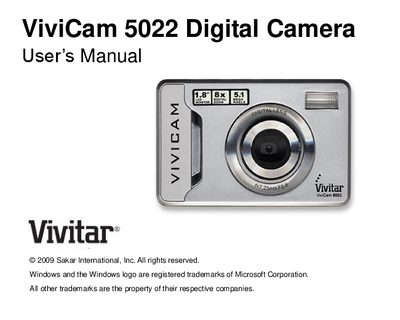
This manual introduces the Vivitar ViviCam 5022 5‑megapixel digital camera and provides step‑by‑step instructions for getting the camera ready, installing batteries, inserting an SD memory card, and using the included software. It also lists the camera’s key features and hardware specifications.
The guide covers computer system requirements for Windows XP, Vista, and Mac OS X, explains how to transfer photos and videos to a computer, and includes a troubleshooting section for common issues such as missing images after transfer and battery‑related data loss.
| Sensor | CMOS sensor |
|---|---|
| Image resolution | 5M (2592x1944), 3M (2048x1536), 2M (1920x1080), VGA (640x480) |
| Lens | f=7.23mm, F2.8 |
| Internal memory | SD RAM 8 MB |
| External memory | SD card up to 8 GB |
| Flash | Auto/force on/red‑eye reduction/off |
| Self‑timer | 10 s |
| Power‑saving timer | 60 s |
| Battery | 3 × AAA |
| Working temperature | ‑10 °C to 40 °C |
Make sure you have actually taken photos; press the shutter to capture sample images and then try downloading again. If the camera powers off before the transfer, the images are lost unless they are on an SD card.
The camera’s SDRAM memory loses stored images when power is removed, so always use an SD card and download photos to your computer as soon as possible.
Deleted images are moved to the computer’s Recycle or Trash Bin and can be restored from there.