
ViviCam7690 Digital Camera Owner’s Manual, includes the camera's features, function introduction, usage methods, maintenance and other information
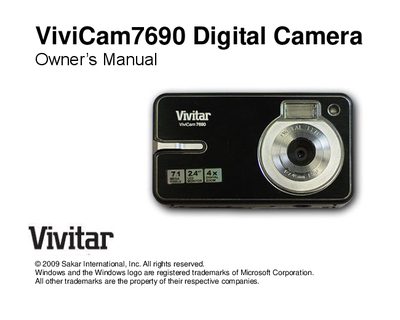
This owner's manual covers the Vivitar ViviCam7690 Digital Camera, including key features such as 7.1 megapixel image resolution, 2.4 inch TFT LCD, 4X digital zoom, built-in flash, and SD/MMC card support up to 8GB. It describes how to install batteries and an SD memory card, turn the camera on and off, and switch between Camera, Video, and Playback modes.
The manual also provides instructions for connecting the camera to a computer using the USB cable, installing the Vivitar Experience Image Manager software, transferring photos and videos, maintaining the camera, and using the one-year Sakar warranty service.
| Image Sensor | CMOS Sensor |
|---|---|
| Image Size | 3072X2304pixels(7M), 2560X1920pixels(5M), 2048X1536 pixels (3M), 1600X1200pixels(2M), 1280X960pixels(1M), 640X480(VGA) |
| Video Resolution | 640X480(24 fps), 320X240pixels(30 fps) |
| File Format | JPEG/AVI(Without Audio) |
| External Memory | SD / MMC Card (up to 8GB) |
| LCD Display | 2.4 Inch TFT LCD |
| Lens | f=7.45mm, F3.0 (with Macro) |
| Zoom | 4X Digital Zoom |
| Exposure | -3.0EV ~ 3.0EV |
| White Balance (Video Mode) | Auto, Daylight, Cloudy, Tungsten, Fluorescent |
| ISO | Auto/100/200/400 |
| Flash | Auto / Force / Off |
| Self-timer | 2 or 10 sec delay |
| Anti-Shake | Yes |
| PictBridge | Yes |
| Interface | USB 2.0 High Speed |
| System Requirements | Windows 2000/ XP/VISTA/ Mac OS X (10.2.6 or higher) |
| Battery | 3XAAA (4.5V) |
| Dimension (CM) | 9.82*5.69*2.57 |
Ensure you have taken photos, use the USB cable that came with the camera, insert it into a free USB slot, and give your computer time to recognize the device.
Make sure you are in camera mode and the Macro setting is set to Far mode, and check that you have enough battery power.
Yes, you can download photo and video using the application on Windows as well as Mac.