
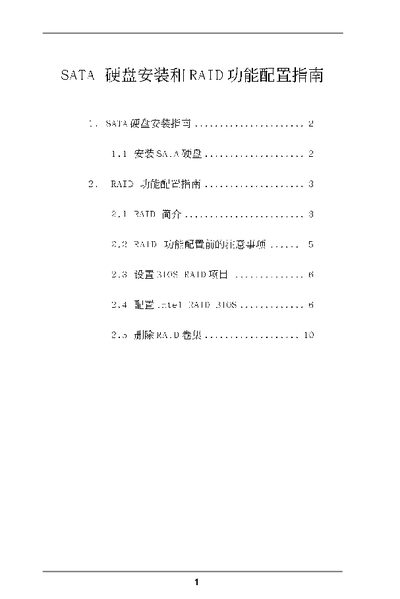
Intel SATA Hard Disk Installation and RAID Configuration Guide


Intel SATA Hard Disk Installation and RAID Configuration Guide - cover page
Brand
SATA
Category
Other
Document type
Installation Guide
Language
Chinese
Pages
10
File format
PDF
File size
1.4 MB
Published
15 March, 2012
Updated
29 September, 2023
MD5 checksum
DB88D6ECBE3A3E31B69002B53044EBAC

About this manual

The document provides step‑by‑step instructions for installing SATA hard disks on a motherboard that uses an Intel south‑bridge chipset. It covers BIOS configuration, selecting the SATA mode, and preparing the drives for RAID.

It then details the RAID configuration process, including RAID level selection (0, 1, 5, 10, Intel Matrix Storage), strip‑size choices, volume creation, and deletion procedures using the Intel RAID Utility. This manual is written in Chinese.

What's inside

  • SATA Hard Disk Installation Guide
  • RAID Function Configuration Guide
  • RAID Introduction
  • RAID Configuration Precautions
  • Set BIOS RAID Options
  • Configure Intel RAID BIOS
  • Create RAID Volume
  • Delete RAID Volume

Specifications

Supported RAID levelsRAID 0, RAID 1, RAID 5, RAID 10, Intel Matrix Storage
Strip size options8 KB, 16 KB, 64 KB, 128 KB
Maximum disk size per drive1117 GB

Frequently asked questions

How do I enter the BIOS to enable RAID mode?

Restart the system and press to enter the BIOS, then move to Advanced and set "Configure SATA as" to [RAID].

What strip size is recommended for best performance?

The default 128 KB strip size provides the best performance for most desktop and workstation use.

Can I delete an existing RAID volume?

Yes. Choose "Delete RAID Volume" in the Intel RAID Utility and follow the on‑screen prompts to remove the volume.

Download PDF (1.4 MB)

More SATA Manuals


View all SATA manuals →