
This document is a quick installation guide for the TP-Link powerline adapter TL-PA201. The document provides information on hardware connections, indicator light descriptions, and frequently asked questions.
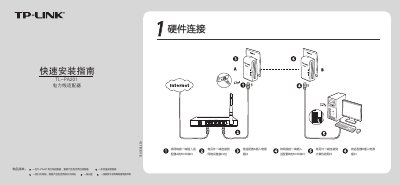
The guide shows how to connect the two TL-PA201 adapters, plug them into wall outlets, and link them to network devices using the RJ45 ports. It also lists the package contents, including adapters, Ethernet cables, a CD and a warranty card.
It explains the meaning of each LED status, the function of the Pair button, and provides answers to common questions such as the need for a traditional modem, the required number of adapters, transmission distance, and interference from household devices. This manual is written in Chinese.
| Maximum transmission distance | 300 meters |
|---|---|
| Ethernet port speed | 10/100 Mbps |
Yes, a traditional modem or broadband connection is required to access the internet.
No, at least two adapters are required for operation.
The TL-PA201 can transmit data up to 300 meters.