
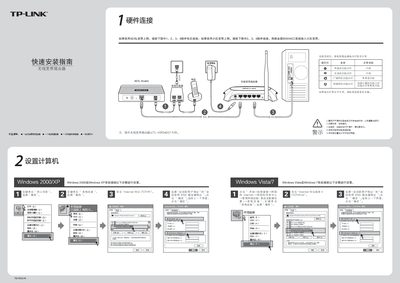
This guide provides step‑by‑step instructions for connecting the TP‑Link WP340G+ router to ADSL or cable broadband, checking indicator lights, and configuring basic network settings. It includes hardware wiring diagrams and notes on proper power and placement.
The manual also explains how to access the router’s web interface (default IP 192.168.1.1, username and password both “admin”), set up wireless parameters, and resolve common issues such as missing Wi‑Fi signals or login problems. This manual is written in Chinese.
| Default login username | admin |
|---|---|
| Default login password | admin |
| Default router IP address | 192.168.1.1 |