
The product specifications and information mentioned in this manual are for reference only, and if there is any update, no further notice will be given. Unless otherwise stipulated, this manual is only for use as guidance, and all statements, information, etc. in this manual do not constitute any form of guarantee.
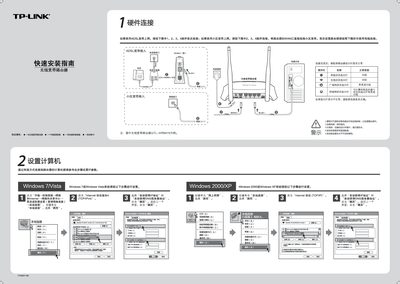
The document starts with hardware connection instructions, showing how to attach the ADSL or fiber line to the WAN port and verify the router’s indicator lights (system status flashing, WAN status steady or flashing).\n\nIt then walks through setting up a computer via wired Ethernet, configuring the router’s web interface (default IP 192.168.1.1, username/password admin), and establishing a wireless connection, followed by common troubleshooting steps such as checking indicator lights, WAN status, and wireless function. This manual is written in Chinese.
| Default IP address | 192.168.1.1 |
|---|---|
| Default username | admin |
| Default password | admin |
| WAN status indicator | steady or flashing |
Check that the router’s Ethernet cables are correctly connected and that the indicator lights are normal, then verify the WAN status on the router’s status page.
Restore the router to factory settings, then repeat the quick installation steps.