
This quick installation guide introduces how to connect 3G 11N wireless broadband router and introduces the basic configuration of the router.
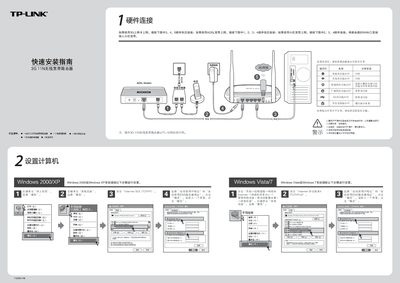
This guide walks you through hardware connections, power setup, and indicator‑light checks for the TL‑MR3420 router. It covers three broadband options—3G, ADSL, and cable—showing the required sequence of cable connections.
After wiring, the document explains how to access the router’s web interface (192.168.1.1), run the setup wizard, configure WAN mode, and secure the wireless network with WPA‑PSK. Troubleshooting tips for common Wi‑Fi issues and router reset procedures are also provided. This manual is written in Chinese.
| Wireless Standard | 3G 11N |
|---|---|
| Default Login | Username: admin, Password: admin |