
This document is a quick installation guide for a 150M Mini Wireless Router, providing instructions on how to install and set up the router.
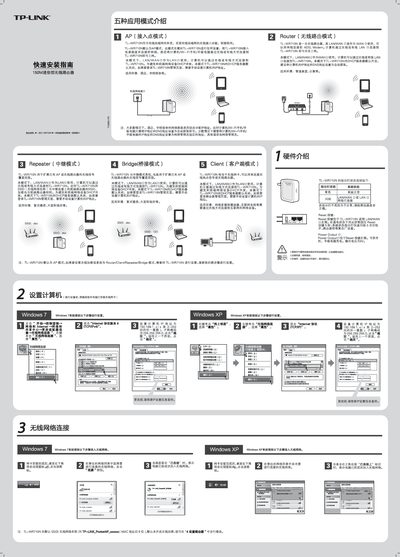
This guide covers the TL‑WR710N 150 M mini wireless router, describing its five operating modes – AP, Router, Repeater, Bridge and Client – and the indicator lights for system status. It also explains the default settings such as the SSID, DHCP server behavior, and the Power Output port for charging devices.
The document walks you through the quick installation process: connecting the router to a modem, accessing the web interface at 192.168.1.253, logging in with the default admin credentials, configuring the desired mode, and resetting the device if needed. Detailed steps for setting the computer’s IP/DNS and for changing the SSID are included. This manual is written in Chinese.
| Wireless Speed | 150 Mbps (mini) |
|---|---|
| Power Output Port | Provides charging for phones/tablets |
Both the username and password are "admin".
Yes, you can modify the SSID in the "设置路由器" (Set Router) section of the web interface.