
This manual introduces the operation methods of the watch, including the use of timing, alarm clock, countdown, stopwatch, pointer adjustment and other functions
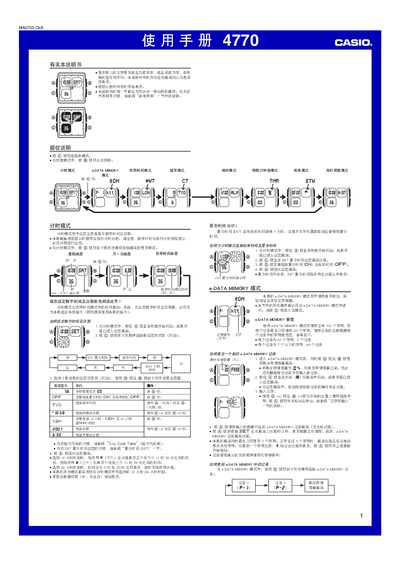
This manual provides step-by-step instructions for operating the Casio 4770 1MA0703-CkA watch. It covers setting time and date, world time, e-DATA MEMORY for storing data, alarm and chime functions, countdown timer, and stopwatch. Each mode has specific button operations for configuration and display control.
The watch supports multiple time formats (12-hour and 24-hour), daylight saving time adjustment, and displays data in either white-on-black or black-on-white backgrounds depending on model. It also includes a city code table for world time and temperature data for 30 cities. This manual is written in Chinese.
| Display Colors | White-on-black or black-on-white |
|---|---|
| World Time Cities | 30 cities (27 time zones) |
| Temperature Data | Average monthly high and low temperatures for 30 cities |
| Stopwatch Limit | 59 minutes 59.99 seconds |
Press and hold button A until the seconds flash to enter setup mode. Use button C to select the setting item, then use buttons D and B to adjust the value.
Press button C to enter world time mode, then press button D to cycle through city codes. Refer to the City Code Table for details.
Press button C to enter stopwatch mode. Press button D to start or stop the timer. Press button A to reset the timer to zero.