
This document is a manual for the 3085 1 MA0702-CkA watch, which introduces the functions and operations of the watch, display screens, how to use various modes, and how to set the time and date.
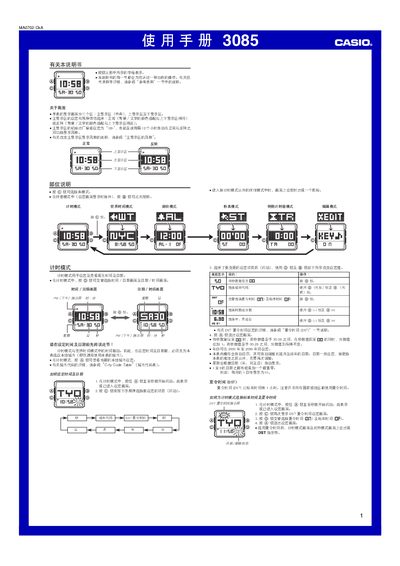
This manual provides step‑by‑step instructions for operating the Casio 3085 watch, covering time and date setting, world time, alarm configuration, stopwatch, countdown timer and editing options. It also describes the watch’s lighting features, including manual and automatic illumination.
Each mode is accessed with the C button, while the A, B and D buttons are used to navigate and adjust settings. Safety notes are included for the automatic illumination feature when the watch is worn during activities such as cycling or driving. This manual is written in Chinese.
| LED illumination | Two LEDs |
|---|---|
| Default display mode | 12‑hour (12H) at startup |
| Number of daily alarms | 5 |
| Countdown timer range | 1 minute to 24 hours |
| Stopwatch maximum display | 59 min 59.99 sec |
In time‑keeping mode, hold the B button for about 3 seconds to toggle the automatic illumination indicator.
The watch provides five individual daily alarms that can be set separately.
Enter edit mode, press D to open the 12/24‑hour selection screen, then press A to toggle between 12 h and 24 h.