
Key facts
- Brand
- StarTech.com
- Model
- USB2DVI
- Category
- Other Computer Accessories
- Industry
- Computers
- Documents
- 3
- Languages
- EN
- Last added
- 2023-10-16
Start here
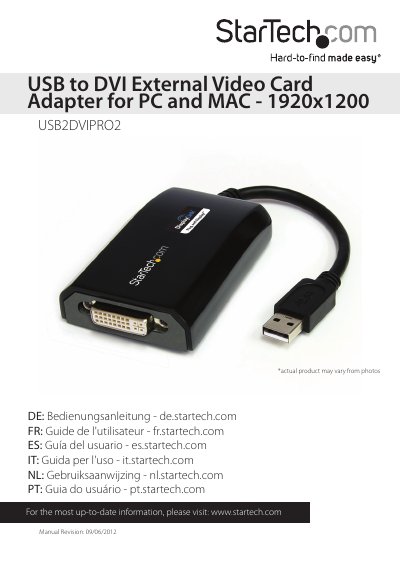
StarTech.com USB2DVIPRO2 USB to DVI External Video Card Adapter Instruction Manual
The StarTech.com USB2DVIPRO2 is an external video card adapter designed to connect a host computer's USB 2.0 port to DVI monitors. It supports resolutions up to 1920x1200 and allows users to extend or mirror their desktop across multiple displays without opening the computer case.
Read onlineStarTech.com USB2DVI specifications
| Max Resolution Supported | 1600 x 1200 @ 32 bits |
|---|---|
| Operating System Support | Windows 2000/XP/Vista |
| Signal Input | USB |
| Signal Output | DVI |
| Cable Length | 35cm (13.8") |
| Connector(Input) | USB B-Type |
| Connector(Output) | DVI-I Female |
| Weight | 75g |
All StarTech.com USB2DVI documents by type
Day-to-day operation, settings and troubleshooting. Start here if the product is already set up.
Questions answered in these manuals
How many USB2DVI adapters can be connected simultaneously?
Up to six USB2DVI adapters can be connected to a source computer simultaneously.
Does the adapter require an external power source?
No, the device is USB powered and requires no external power source.
What is the maximum resolution supported?
The adapter supports a maximum resolution of 1920 x 1200.
From: StarTech.com USB2DVIPRO2 USB to DVI External Video Card Adapter Instruction Manual
How many adapters can be connected to a single PC?
You can connect a maximum of five USB2DVIPRO2 adapters on a single PC.
From: StarTech.com USB2DVIPRO2 USB to DVI External Video Card Adapter Instruction Manual
What is the maximum number of adapters that can be used together?
The system supports up to 5 additional adapters, creating a total of 5 connections.
From: StarTech.com USB2DVIE3/USB2VGAE3 External Dual Monitor Video Adapter User Manual
Can I use these adapters to extend my desktop?
Yes, the 'EXTENDED' display mode allows the attached adapter to work as an extended display to the on-board display.
From: StarTech.com USB2DVIE3/USB2VGAE3 External Dual Monitor Video Adapter User Manual