
USB-C multiport adapter with HDMI/VGA, USB-A, Gigabit Ethernet, and 95W Power Delivery for laptops.
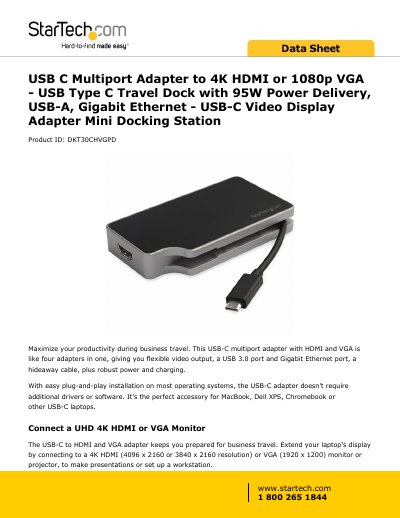
This USB-C multiport adapter enables video output via HDMI or VGA, USB-A 3.0, and Gigabit Ethernet. It supports 95W Power Delivery 3.0 for fast charging and includes a hideaway cable. Compatible with MacBook, Dell XPS, Chromebook, and other USB-C devices. Plug-and-play with no drivers required.
The adapter supports 4K HDMI (3840 x 2160 @ 30Hz) or VGA (1920 x 1200) output, USB 3.0 data transfer (5Gbps), and 10/100/1000 Mbps Ethernet. It’s bus-powered and features Fast Role Swap for seamless power switching.
| Video Output | 4K HDMI (3840 x 2160 @ 30Hz) or VGA (1920 x 1200) |
|---|---|
| USB Data Transfer | 5 Gbps (USB 3.0) |
| Ethernet Speed | 10/100/1000 Mbps |
| Power Delivery | 95W (PD 3.0) |
| Operating Temperature | 0°C to 45°C (32°F to 113°F) |
| Weight | 9 oz (254 g) |
Compatible with MacBook, Dell XPS, Chromebook, HP EliteBook, Lenovo Ultrabooks, Google Pixel, and Samsung Galaxy devices.
No, it’s plug-and-play and doesn’t require additional drivers or software.
Supports 4K HDMI (3840 x 2160 @ 30Hz) or VGA (1920 x 1200).
It prevents USB data disruption when switching power sources (USB-C power adapter to bus power).