
German user manual for the StarTech.com USB3SDOCKDD docking station, covering installation, driver setup, and operation.
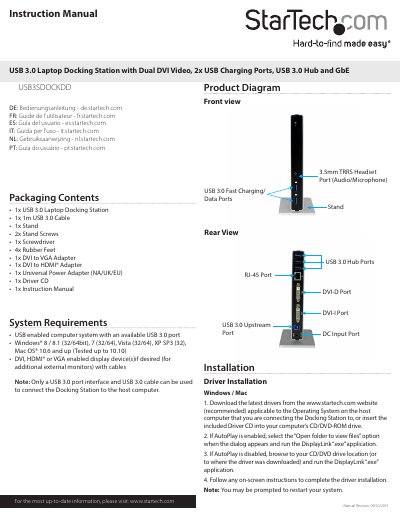
This document is the German user manual for the StarTech.com USB3SDOCKDD Laptop Docking Station. It details the packaging contents, including the docking station, cables, adapters, and power supply. The guide provides step-by-step instructions for driver installation on Windows and Mac systems, as well as hardware setup for connecting monitors and peripherals. This manual is written in German.
| Max Video Resolution | 2048x1152 |
|---|---|
| Warranty Period | two year warranty |
| Charging Standard | Battery Charging Specification Revision 1.2 |
The package includes the docking station, a 1m USB 3.0 cable, a stand, screws, a screwdriver, rubber feet, DVI to VGA and HDMI adapters, a universal power adapter, a driver CD, and the instruction manual.
The docking station supports Windows 8/8.1, 7, Vista, XP SP3, and Mac OS 10.6 and up.
You can download the latest drivers from the website or insert the included Driver CD and run the DisplayLink .exe application.