
Key facts
- Brand
- SATO
- Model
- M84PRO
- Category
- Industrial Robot
- Documents
- 3
- Languages
- EN · ZH
- Last added
- 2026-11-18
Start here
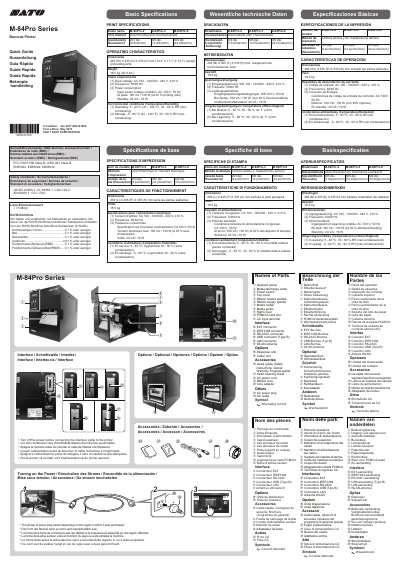
SATO M-84Pro-2 Barcode Printer Quick Guide
This is the multilingual quick guide (English, German, Spanish, French, Italian and Dutch) for the SATO M-84Pro Series barcode printer, with the M-84Pro-2 shown as the base model. It lists basic specifications, print specifications, operating characteristics, the names of parts, the interface connectors and the supplied accessories, and it shows how to turn the power on.
The M-84Pro-2 uses direct thermal and thermal transfer printing at 203 dpi (8 dots/mm); the guide also lists the M-84Pro-3 at 305 dpi and the M-84Pro-6 at 609 dpi. It covers power requirements, environmental conditions, EMC and safety standards, and the optional dispenser and cutter units.
SATO M84PRO specifications
| Dimensions | 264 (W) x 435 (D) x 335 (H) mm (10.4" x 17.1" x 13.1") |
|---|---|
| Weight | 18.5 kg (40.8 lbs) |
| Input voltage | AC 100 - 120/200 - 240 V, ±10 % |
| Frequency | 50/60 Hz |
| Power consumption at peak | 190 VA / 130 W (at 30 % printing ratio) |
| Power consumption in standby | 24 VA / 16 W |
| Operating environment | 5 - 40 ºC (41 - 104 ºF), 30 - 80 % RH (non-condensing) |
| Storage environment | -5 - 60 ºC (23 - 140 ºF), 30 - 90 % RH (non-condensing) |
| Print method | Direct thermal and thermal transfer |
| Head density (resolution), M-84Pro-2 | 203 dpi (8 dots/mm) |
| Head density of other models | M-84Pro-3: 305 dpi (12 dots/mm); M-84Pro-6: 609 dpi (24 dots/mm) |
| EMC standards | FCC PART15B Class B, ICES-003 Class B, EN55022, EN55024, EN55032 |
| Safety standards | CB IEC 60950-1, UL 60950-1, CSA C22.2, EN 60950-1, CCC, EAC |
| Interfaces | EXT, IEEE1284, RS-232C, USB (Type B), LAN connectors; WLAN antenna |
| Options | Dispenser unit, cutter unit |
All SATO M84PRO documents by type
The shortest path to a working setup, usually only a few pages.
Day-to-day operation, settings and troubleshooting. Start here if the product is already set up.
Questions answered in these manuals
What resolution does the M-84Pro-2 print at?
The M-84Pro-2 has a head density of 203 dpi (8 dots/mm). The guide also lists 305 dpi for the M-84Pro-3 and 609 dpi for the M-84Pro-6.
What interfaces does the printer have?
It has EXT, IEEE1284, RS-232C, USB (Type B) and LAN connectors, plus a WLAN antenna.
What does the "HEAD CHECK OK" message mean?
It indicates that the print head has passed the self‑check and is functioning correctly.
From: SATO CL4Xxe, CL6Xxe, M-84Pro Printer Getting Started Manual
How can I run a printer self‑test?
Select the printer test configuration, choose the FEED mode, and follow the on‑screen prompts to start the test.
From: SATO CL4Xxe, CL6Xxe, M-84Pro Printer Getting Started Manual
What are the supported barcode formats?
The printer supports formats including UPC/EAN Supplemental, EAN-8/13, Codabar, Code 39/93/128, Interleaved 2of5, Data Matrix, PDF417, and QR Code.
What is the print speed of the SATO M84PRO?
The print speed ranges from 2 to 10 inches per second (50 to 250 mm/s).