
This SATO printer getting‑started manual explains basic operation, label types, sensor functions, self‑test, and troubleshooting for CL4Xxe, CL6Xxe and…
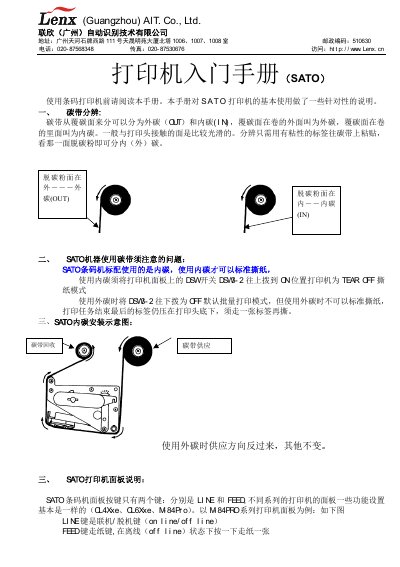
The manual provides an introduction to SATO label printers, describing how to set up the device, select the appropriate label feed mode (LINE or OFF‑LINE), and operate basic functions such as printing, offset, and pitch adjustments. It also covers the printer’s LCD display, sensor types, and ribbon handling.
Additional sections explain error messages (e.g., SENSOR ERROR, FORMATS ERROR, PAPER END ERROR, RIBBON END ERROR), the head‑check procedure, and step‑by‑step troubleshooting tips to resolve common issues during daily use. This manual is written in Chinese.
| Display type | LCD |
|---|
It indicates that the print head has passed the self‑check and is functioning correctly.
Select the printer test configuration, choose the FEED mode, and follow the on‑screen prompts to start the test.
The LCD can show SENSOR ERROR, FORMATS ERROR, PAPER END ERROR, or RIBBON END ERROR, each indicating a specific problem.