
Key facts
Start here
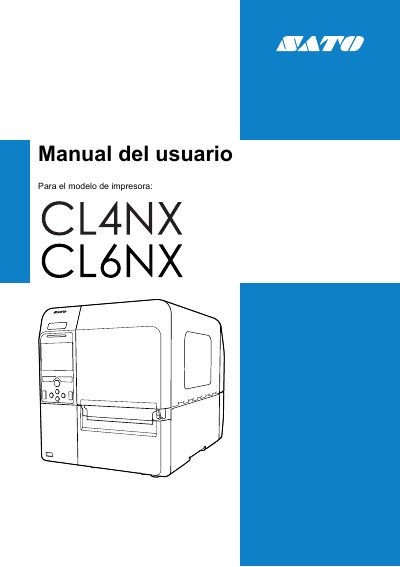
SATO CL4NX/CL6NX Printer User Manual
The SATO CL4NX/CL6NX User Manual explains basic use of the printer. It covers product features, safety precautions, part names, installation, cable and power connections, and initial setup.
It also describes loading ribbon and labels, operating and configuring the printer through the menu and web configuration, cleaning and adjustments, troubleshooting, and replacement of the print head and paper feed roller. The appendix includes default settings and printer and interface specifications. This manual is written in Spanish.
Sato CL4NX specifications
| Print Method | Thermal and Thermal Transfer |
|---|---|
| Resolution (CL4NX Plus) | 203, 305, 609 dpi |
| Resolution (CL6NX Plus) | 203, 305 dpi |
| Dimensions (CL4NX Plus) | 271 x 457 x 321 mm |
| Dimensions (CL6NX Plus) | 338 x 457 x 321 mm |
| Weight (CL4NX Plus) | 15.1 kg |
| Weight (CL6NX Plus) | 20.3 kg |
| Operating Temperature | 0 - 40 ºC |
Source: SATO CL4NX Plus/CL6NX Plus Barcode Printer Quick Guide
All Sato CL4NX documents by type
Day-to-day operation, settings and troubleshooting. Start here if the product is already set up.
Questions answered in these manuals
What is the print method for these printers?
The printers support both thermal and thermal transfer printing methods.
From: SATO CL4NX Plus/CL6NX Plus Barcode Printer Quick Guide
How do I turn on the printer?
Press the power button until the LED indicator on the operation panel turns blue.
From: SATO CL4NX Plus/CL6NX Plus Barcode Printer Quick Guide
Which printer models does this manual cover?
This manual covers the SATO CL4NX and CL6NX printers.
What ribbon length is supported?
The printer is compatible with 600 m ribbons.
Which ribbon is validated for use with Omni-ID labels?
The Sato Y70110200720 Full resin carbon ribbon is validated for use.
What is the recommended print speed for compound labels?
The recommended speed is 2 inches per second.