
Key facts
- Brand
- OPPO
- Model
- BDP-93
- Industry
- Appliances
- Documents
- 5
- Languages
- EN · ZH
- Last added
- 2023-01-17
Start here
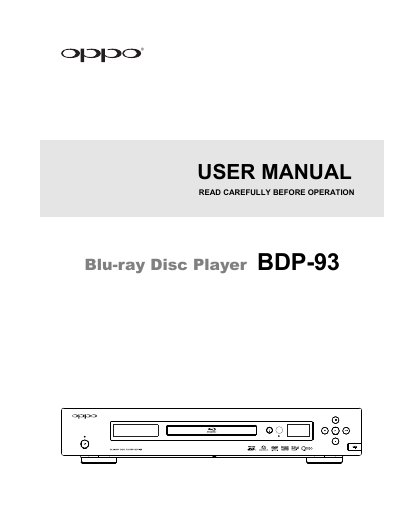
OPPO BDP-93 Blu-ray Disc Player User Manual
This manual provides comprehensive instructions for the OPPO BDP-93 Blu-ray Disc Player, including safety precautions, installation procedures, and remote control usage. It details how to connect the player to various display and audio systems using HDMI, DVI, or component video inputs.
The guide covers basic and advanced playback operations for Blu-ray, DVD, CD, and media files from USB drives. It also explains how to configure video and audio settings, manage network connections, and utilize features like BD-Live and Picture-in-Picture.
OPPO BDP-93 specifications
| Required firmware version | later than Mar 18, 2011 |
|---|---|
| Installation time (internal) | approximately 1 hour |
| Document version | 1.4 |
Source: OPPO BDP-93 / BDP-95 Blu-ray Player Region Free Modification Kit Installation Guide
All OPPO BDP-93 documents by type
Day-to-day operation, settings and troubleshooting. Start here if the product is already set up.
Mounting, wiring and first power-up. Read it before the hardware goes in.
Disassembly, diagnostics and part numbers, for repair.
Questions answered in these manuals
What is the acceptable power input range for the player?
The player accepts AC power ranging from 100V to 240V at 50/60Hz.
What happens if moisture condenses inside the player?
Turn the unit on for 1-2 hours without a disc to facilitate moisture evaporation.
How do I change the Blu‑ray region on the OPPO BDP‑93/95?
Start the player with no disc, go to Playback Setup, set Auto Resume to Off, then press DIMMER three times, MUTE, and the number of the desired region.
What are the default region settings after installing the kit?
The default settings are Region 0 for DVD and Zone A for Blu‑ray.
How do I remove the AC socket on the OPPO BDP‑93?
Remove the highlighted screws and the AC socket by unclipping the highlighted plugs, then cut the zip‑tie.
How is the new NE board installed?
Install the NE board in the same spot as the original OPPO board, replace all screws and plugs, then reinstall the AC socket.