
Key facts
- Brand
- OPPO
- Model
- BDP-95
- Industry
- Appliances
- Documents
- 2
- Languages
- ZH · EN
- Last added
- 2012-05-08
Start here
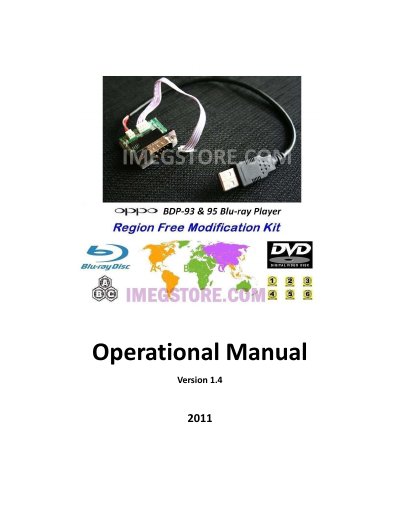
OPPO BDP-93/BDP-95 Blu-ray Player Operational Manual
This manual provides step‑by‑step instructions for installing the OPPO modification kit on both the BDP‑93 and BDP‑95 Blu‑ray players. Two installation methods are covered: an external connection using the RS‑232 and USB ports, and an internal installation that requires removing the top cover, sound board, and connecting a 4‑pin plug to the mainboard. The internal procedure is estimated to take about one hour and is recommended for professionals.
The guide also explains how to change Blu‑ray and DVD region codes using the remote control. Specific button sequences are listed for each region, and the default settings after kit installation are Region 0 for DVD and Zone A for Blu‑ray. Important safety notices and firmware requirements are included. This manual is written in Chinese.
OPPO BDP-95 specifications
| Required firmware version | later than Mar 18, 2011 |
|---|---|
| Installation time (internal) | approximately 1 hour |
| Document version | 1.4 |
Source: OPPO BDP-93 / BDP-95 Blu-ray Player Region Free Modification Kit Installation Guide
All OPPO BDP-95 documents by type
Mounting, wiring and first power-up. Read it before the hardware goes in.
Questions answered in these manuals
How do I change the Blu‑ray region on the OPPO BDP‑93/95?
Start the player with no disc, go to Playback Setup, set Auto Resume to Off, then press DIMMER three times, MUTE, and the number of the desired region.
What are the default region settings after installing the kit?
The default settings are Region 0 for DVD and Zone A for Blu‑ray.
What are the default region settings after installing the kit?
The default settings are Region 0 for DVD and Zone A for Blu‑ray.
From: OPPO BDP-93 / BDP-95 Blu-ray Player Region Free Modification Kit Installation Guide
Can the kit be installed externally after the USB cable is cut?
No, once the USB cable is cut the kit cannot be installed externally any more.
From: OPPO BDP-93 / BDP-95 Blu-ray Player Region Free Modification Kit Installation Guide