
OPPO BDP-93 / BDP-95 Blu-ray Player Region Free Modification Kit Installation Guide

This operation manual introduces the features and usage of the Oppo BDP-93/95 player

OPPO BDP-93 / BDP-95 Blu-ray Player Region Free Modification Kit Installation Guide - cover page
Brand
OPPO
Category
Audio-Video Decoder
Document type
Installation Guide
Language
English
Pages
9
File format
PDF
File size
872 KB
Published
08 May, 2012
Updated
30 September, 2023
Models
BDP-93, BDP-95
MD5 checksum
CEDBE0658E862B9B52C3EA5F1D01388C

About this manual

This guide provides step‑by‑step instructions for installing the Region Free Modification Kit on OPPO BDP‑93 and BDP‑95 Blu‑ray players. Both external and internal installation methods are covered, with safety warnings and required firmware versions.

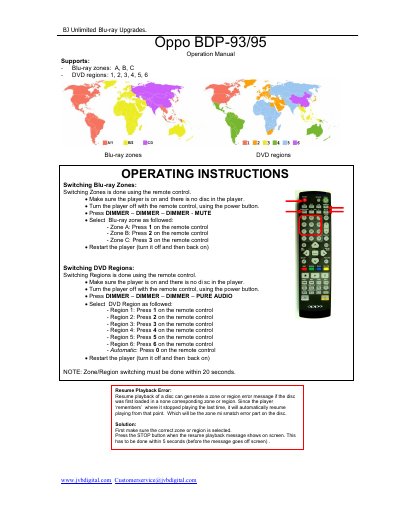
The manual also explains how to change Blu‑ray and DVD region codes using the remote control, and lists the default region settings after a successful installation.

What's inside

  • Installation Instructions
  • External Installation Method
  • Internal Installation Method
  • Region Code Operation
  • Change of Blu‑ray Regions
  • Change of DVD Regions
  • Default Settings Notice

Specifications

Required firmware versionlater than Mar 18, 2011
Installation time (internal)approximately 1 hour
Document version1.4

Frequently asked questions

What are the default region settings after installing the kit?

The default settings are Region 0 for DVD and Zone A for Blu‑ray.

Can the kit be installed externally after the USB cable is cut?

No, once the USB cable is cut the kit cannot be installed externally any more.

Download PDF (872 KB)

More OPPO Manuals


View all OPPO manuals →