
Key facts
- Brand
- OPPO
- Model
- V5S
- Category
- Other
- Industry
- Electronics
- Documents
- 2
- Languages
- ZH
- Last added
- 2012-03-20
Start here
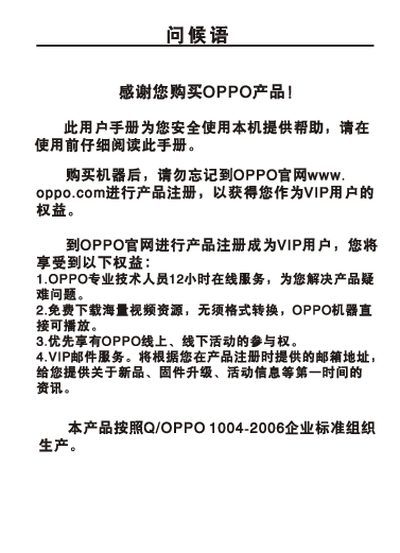
OPPO VY5L/YV6I/V5S MP4 Player User Manual
This manual guides users of OPPO MP4 players through safe usage, registration, and basic functions. It includes warnings, battery care tips, and warranty information.
Quick‑start sections describe how to power the device on/off, navigate menus, play music, video, and view pictures, as well as how to adjust volume, use the A‑B repeat function, and manage files on external storage. This manual is written in Chinese.
OPPO V5S specifications
| Model | VY5L / YV6I / V5S |
|---|---|
| Audio decoder chip | WOLFSON WH8750 |
| Battery | 3.7 V 900 mAh |
| Continuous playback time | ≈15 hours (MP3) |
| Dimensions | 87 mm × 54 mm × 11 mm |
| Audio SNR | >90 dB |
| Headphone output | 12 mW + 12 mW, 32 Ω |
| Frequency range | 18 Hz – 20 kHz |
| Supported audio formats | MP3 (32‑320 kbps), WMA (32‑320 kbps) |
| Supported image format | JPEG up to 6‑8 MP |
All OPPO V5S documents by type
Day-to-day operation, settings and troubleshooting. Start here if the product is already set up.
Questions answered in these manuals
How do I turn the MP4 player on and off?
Press the power button briefly to turn the device on; press and hold the power button to turn it off.
How can I pause or resume music playback?
In the playback screen, a short press of the play/pause button toggles between pause and play.
How do I turn the device on and off?
Short press the power button to turn the device on; long press the same button to turn it off.
How can I pause or resume music playback?
Press the play/pause button briefly to toggle between playing and pausing the music.