
Key facts
- Brand
- Emerson
- Model
- F89
- Category
- Industrial Robot
- Industry
- Industrial
- Documents
- 2
- Languages
- JA · EN
- Last added
- 2026-11-12
Start here
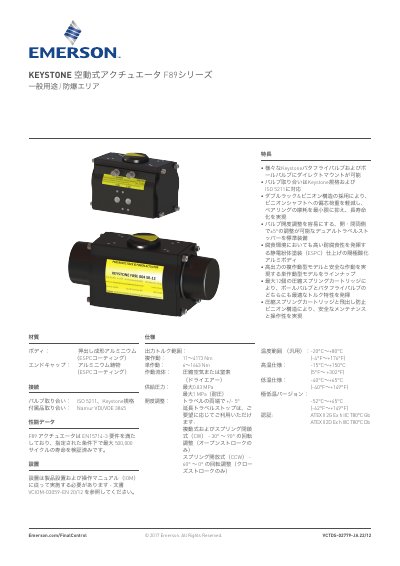
Emerson Keystone F89 Pneumatic Actuator User Manual
This document provides information for the Emerson Keystone F89 series pneumatic actuators, designed for general use and hazardous areas. These actuators are compatible with various Keystone butterfly and ball valves and feature a double rack and pinion structure to reduce eccentric loads. The series includes both double-acting and single-acting models with a range of output torques from 6 to 4173 Nm. This manual is written in Japanese.
Read onlineEmerson F89 specifications
| Output Torque Range (Double-Acting) | 11~4173 Nm |
|---|---|
| Output Torque Range (Single-Acting) | 6~1663 Nm |
| Operating Fluid | Compressed air or Nitrogen |
| Supply Pressure | Max 0.83 MPa |
| Body Material | Extruded Aluminum (ESPC Coating) |
| Connection Standard | ISO 5211, Keystone Standard |
| Temperature Range (General) | -20°C~+80°C |
| Certification | EN15714-3 |
All Emerson F89 documents by type
Day-to-day operation, settings and troubleshooting. Start here if the product is already set up.
Questions answered in these manuals
What is the operating fluid for the F89 actuator?
The actuator operates on compressed air or nitrogen (dry air).
Is the F89 actuator compatible with ISO 5211?
Yes, the valve connection is compatible with Keystone standards and ISO 5211.
How do I set the Home, Sleep, and Away temperatures?
Press the corresponding button and hold for 3 seconds to save the temperature. Repeat for each pre-set.
From: Emerson 1F89EZ-0251 Non-Programmable Thermostat User Manual
What does the "Save" indicator mean?
It indicates the Cool Savings feature is enabled or operating to save energy.
From: Emerson 1F89EZ-0251 Non-Programmable Thermostat User Manual