
The Dell Wyse 5000 Series Thin Client Wyse 5060 Quick Start Guide provides instructions on how to install the stand, connect the keyboard and mouse, connect the power cable and press the power button, connect the display and press the power button, and connect the network interface.
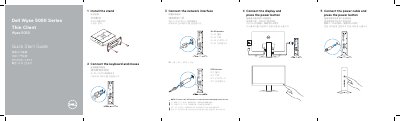
This document serves as a Quick Start Guide for the Dell Wyse 5060 Thin Client. It provides step-by-step instructions for the initial setup, including how to install the stand and connect essential peripherals such as the keyboard, mouse, power cable, and display. The guide also details how to configure the network interface, offering options for both RJ-45 and SFP connections.
| Network Interface | 10/100/1000 Base-T |
|---|---|
| USB Ports | USB 2.0 port (2), USB 3.1 Gen 1 port (2) |
| Power Input | +19V |
| Display Port | DisplayPort |
| Rated Voltage | 100-240 Volts AC |
| Rated Frequency | 50 - 60 Hz |
To remove the SFP interface, rotate the latch and unplug it from its slot.
You can find support and manuals at dell.com/support or dell.com/support/manuals.