
The Dell Wyse 5000 Series Thin Client Wyse 5060 Quick Start Guide describes how to install the stand, connect the keyboard and mouse, connect the power cable and press the power button, connect the display and press the power button, and connect the network interface.
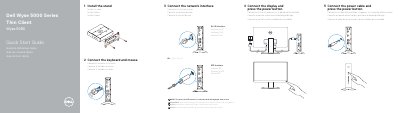
This quick start guide covers installing the stand and connecting the keyboard, mouse, network, display, and power for the Dell Wyse 5060 thin client.
It also identifies the product features and ports, notes optional interfaces, and provides regulatory, model, and support information.
| Regulatory model | N07D |
|---|---|
| Regulatory type | N07D001 |
| Computer model | Wyse 5060 |
| Input voltage | 100 VAC-240 VAC |
| Input current (maximum) | 1.7 A |
| Input frequency | 50 Hz-60 Hz |
| Output current | 3.34 A |
| Output voltage | 19.5 V |
Rotate the latch and unplug it from its slot.
The regulatory model number is N07D.
The computer model is Wyse 5060.