
Key facts
- Brand
- DELL
- Model
- D3100
- Category
- Other Computer Accessories
- Industry
- Computers
- Documents
- 2
- Languages
- EN
- Last added
- 2026-11-14
Start here
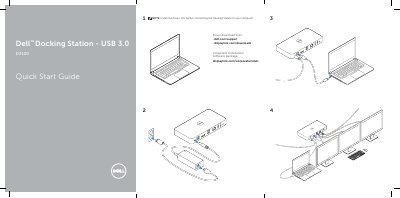
Dell D3100 USB 3.0 Docking Station Quick Start Guide
Quick Start Guide 2 pages · 310 KB · EN
This quick start guide is for the Dell D3100 USB 3.0 Docking Station. It states that drivers should be installed before connecting the docking station to a computer and lists driver download and support links.
Read onlineDell D3100 specifications
| Upstream input | 1 x USB 3.0 (Standard B Type) |
|---|---|
| USB 3.0 downstream ports | 3 |
| USB 2.0 downstream ports | 2 |
| DisplayPort | 1 |
| HDMI ports | 2 |
| Ethernet | Gigabit Ethernet |
| Combo audio | Headphone/Mic |
| Audio line out | 1 |
| High-powered charging ports | 2 (BC 1.2) |
| DisplayPort resolution | 3840 x 2160 / 30Hz |
| Supported operating systems | Windows 7, 8, 8.1, 10 (32/64-bit) |
| Maximum operating temperature | 40 °C |
All Dell D3100 documents by type
Quick Start Guide 1
The shortest path to a working setup, usually only a few pages.
User Manual 1
Day-to-day operation, settings and troubleshooting. Start here if the product is already set up.
Questions answered in these manuals
What must be done before connecting the docking station?
Install the drivers first before connecting the Docking Station to your computer.
Where can drivers be downloaded?
Drivers can be downloaded from dell.com/support and displaylink.com/downloads.
What should I do if there is no video on a monitor attached to the dock?
Check the video connection cables, then unplug the dock from power, wait 10 seconds, and reconnect.
What should I do if USB ports on the docking station are not functioning?
Unplug the dock from power, wait 10 seconds, reconnect, and update to the latest USB 3.0 host controller driver.