
Dell Latitude 13 7000 Series (Latitude 7350) Notebook Quick Start Guide

Latitude 13 7000 Series Notebook Quick Start Guide.
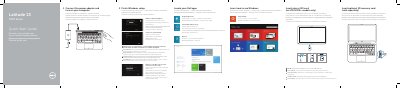

Dell Latitude 13 7000 Series (Latitude 7350) Notebook Quick Start Guide - cover page
Brand
DELL
Category
Laptops
Document type
Quick Start Guide
Language
English
Pages
2
File format
PDF
File size
2 MB
Published
22 November, 2023
Updated
22 November, 2023
MD5 checksum
29A5347FF602B2E84DA7A3F8EACFFC92

About this manual

This quick start guide helps set up a Dell Latitude 13 7000 Series notebook. It outlines connecting power, completing Windows setup, inserting optional SD and micro-SIM cards, locating Dell apps, registering the device, and connecting to a network.

The guide also identifies notebook features and controls, including USB, Mini-DisplayPort, NFC, fingerprint reader, and rear camera options. Regulatory and support information lists the regulatory model P58G, regulatory type P58G001, and computer model Latitude 7350.

What's inside

  • Connect the power adapter and turn on your computer
  • Finish Windows setup
  • Insert optional SD memory card
  • Insert micro-SIM card
  • Locate your Dell apps
  • Register My Device
  • Dell Backup and Recovery
  • Connect to your network
  • Features
  • Undocked base view

Specifications

Regulatory modelP58G
Regulatory typeP58G001
Computer modelLatitude 7350

Frequently asked questions

How do I access the SIM card slot?

Undock the computer to access the SIM card slot.

Where can I find Dell product support and manuals?

Visit dell.com/support and dell.com/support/manuals.

What is the computer model?

The computer model is Latitude 7350.

Download PDF (2 MB)

More DELL Manuals


View all DELL manuals →