
Key facts
- Brand
- DELL
- Model
- Inspiron One 2330
- Category
- All-in-One Desktops
- Documents
- 15
- Languages
- EN · ZH · ES · PT
- Last added
- 2023-11-20
Start here
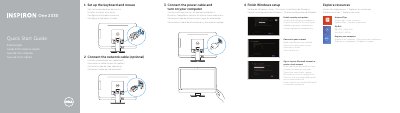
Dell Inspiron One 2330 Quick Start Guide
This quick start guide shows how to set up the Dell Inspiron One 2330, including connecting the keyboard, mouse, network cable, and power cable, then finishing Windows setup, enabling security and updates, signing in to a Microsoft account, and connecting to a network.
It also lists the computer's features and ports, provides links for product support, manuals, and contacting Dell, and includes regulatory, safety, and NOM information.
Dell Inspiron One 2330 specifications
| Regulatory model | W05C |
|---|---|
| Computer model | Inspiron One 2330 |
| Supply voltage | 100-240 V AC |
| Frequency | 50-60 Hz |
| Input current | 2.90 A |
| Country of origin | China |
All Dell Inspiron One 2330 documents by type
The shortest path to a working setup, usually only a few pages.
- Dell Inspiron One 2330 Quick Start Guide 2 p
- Dell Inspiron One 2330 Quick Start Guide 2 p
- Dell Inspiron One 2330 All-in-One Quick Start Guide 2 p
- Dell Inspiron One 2330 Computer Quick Start Guide 2 p
- Dell Inspiron One 2330 Quick Start Guide 2 p
- Dell Inspiron One 2330 Computer Quick Start Guide 2 p
- Dell Inspiron 15R Laptop Quick Start Guide 2 p
- Dell Inspiron One 2330 Computer Quick Start Guide 2 p
- Dell Inspiron One 2330 Quick Start Guide 2 p
Disassembly, diagnostics and part numbers, for repair.
Day-to-day operation, settings and troubleshooting. Start here if the product is already set up.
Questions answered in these manuals
Where can I find Dell product support and manuals?
Product support and manuals are available at dell.com/support and dell.com/support/manuals.
How do I contact Dell?
Contact information is provided at dell.com/contactdell.
Where can I find more information about features and advanced options?
Click Start → All Programs → Dell Help Documentation or go to support.dell.com/manuals.
What is the regulatory model number for this device?
The regulatory model number is W05C.
What tools are needed to disassemble the computer?
The manual suggests using a Phillips screwdriver and a plastic spudger.
How long must I hold the power button to discharge static electricity after unplugging the computer?
You must press the power button for about 5 seconds to discharge static electricity from the system board.