
This document provides detailed information about a Dell computer, including its features, specifications, and safety information.
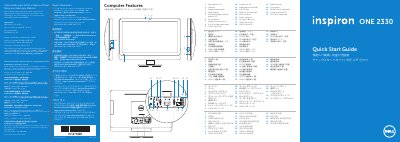
This quick start guide introduces the Dell Inspiron One 2330 all-in-one computer and shows its front and rear features, including ports, camera, optical drive, and media-card reader. It also gives basic setup steps such as connecting power, keyboard, and mouse, completing Windows setup, and locating the Service Tag.
The guide includes multilingual instructions and contact information for Dell sales, technical support, and customer service. It also lists regulatory model details and points to Dell Help Documentation and support.dell.com/manuals for more information.
| Regulatory model | W05C |
|---|---|
| Type | W05C001 |
| Computer model | Inspiron One 2330 |
| Input voltage | 100 to 240 VAC |
| Input frequency | 50 Hz/60 Hz |
| Rated output current | 2.9 A |
Click Start, then All Programs, then Dell Help Documentation, or go to support.dell.com/manuals.
Go to dell.com/ContactDell; customers in the United States can call 800-WWW-DELL (800-999-3355).
Read the safety information shipped with the equipment, or visit dell.com/regulatory_compliance for additional safety best practices.
Do not use the @ symbol in your password.