
This document describes the features and advanced options of Dell computers.
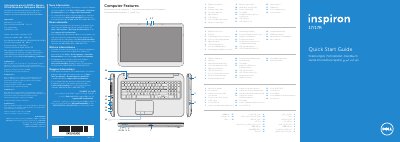
This quick start guide introduces the Dell Inspiron 3721/5721 computer and shows its external features, ports, lights, and function keys. It also provides basic setup steps, including connecting power and network cables, pressing the power button, completing Windows setup, and locating service tag and regulatory labels.
The guide includes multilingual instructions and a Mexico NOM regulatory section with electrical input and output values. It also explains where to find more Dell help documentation and how to contact Dell for sales, technical support, or customer service.
| Regulatory model | P17E |
|---|---|
| Type | P17E001 |
| Computer model | Inspiron 3721/5721 |
| Input voltage | 100-240 V AC |
| Maximum input current | 1.50/1.60/1.70/2.50 A |
| Input frequency | 50-60 Hz |
| Actual current | 3.34/4.62 A |
| Output voltage | 19.50 V DC |
| USB 3.0 ports | 2 |
| Media-card reader | 8-in-1 |
Click Start, then All Programs, then Dell Help Documentation, or go to support.dell.com/manuals.
Go to dell.com/ContactDell; customers in the United States can call 800-WWW-DELL (800-999-3355).
The computer model is Inspiron 3721/5721.
The guide shows Wireless ON and Wireless OFF.