
Dell Inspiron 15-3558 Laptop Quick Start Guide

Dell laptop quick start guide
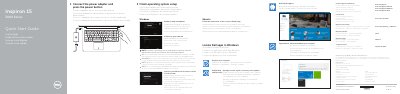

Dell Inspiron 15-3558 Laptop Quick Start Guide - cover page
Brand
DELL
Category
Laptops
Document type
Quick Start Guide
Language
English
Pages
2
File format
PDF
File size
909 KB
Published
24 November, 2023
Updated
24 November, 2023
MD5 checksum
AA21ED79FAE3A6BF97255913F3606623

About this manual

This multilingual quick start guide is for the Dell Inspiron 15-3558 laptop (Inspiron 15 3000 Series). It shows how to connect the power adapter, complete operating system setup, connect to a network, and locate Dell apps and support resources.

The guide also identifies the laptop's features and shortcut keys and lists regulatory, safety, and contact information. Power adapter and regulatory details are included in the NOM information.

What's inside

  • Connect the power adapter and press the power button
  • Finish operating system setup
  • Connect to your network
  • Sign in to your Microsoft account or create a local account
  • Locate Dell apps in Windows
  • Register your computer
  • Dell Backup and Recovery
  • Features
  • Shortcut keys
  • Regulatory and safety

Specifications

Computer modelInspiron 15-3558
Regulatory modelP47F
Regulatory typeP47F001
Power supply voltage100 V AC-240 V AC
Power supply frequency50 Hz-60 Hz
Output voltage19.50 V DC

Frequently asked questions

How do I connect to a secured wireless network?

Enter the password for the wireless network access when prompted.

Where can I find more specifications for this laptop?

See Specifications at Dell.com/support.

What is the regulatory model listed for this laptop?

The regulatory model is P47F.

Download PDF (909 KB)

More DELL Manuals


View all DELL manuals →