About this manual
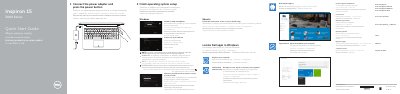
This document is a Quick Start Guide for the Dell Inspiron 15-3558 laptop. It provides multilingual instructions for connecting the power adapter, finishing the operating system setup, and enabling security features. The guide also covers how to sign in to a Microsoft account or create a local account.
What's inside
- Connect the power adapter
- Finish operating system setup
- Enable security and updates
- Connect to your network
- Sign in to your Microsoft account
- Locate Dell apps
- Check and update your computer
- Register your computer
- Backup, recover, repair, or restore your computer
- Contact Dell
Frequently asked questions
What is the first step to start using the computer?
Connect the power adapter and press the power button.
How many USB 2.0 ports does the computer have?
2.
Which Dell app is mentioned for checking and updating the computer?
SupportAssist.
What series is this computer?
Inspiron 15 3000 Series.