
User manual for the ELECOM M-CC2BRS Bluetooth mouse, covering setup, pairing with Windows and Mac, charging instructions, and technical specifications.
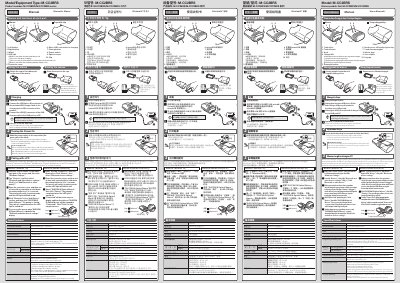
This manual provides instructions for the ELECOM M-CC2BRS Bluetooth Mouse, including the names and functions of each part, usage guidelines, and storage methods. It details how to charge the device using the included USB cable and explains the low-energy mode feature that activates when the mouse is idle.
| Resolution | 1200 dpi |
|---|---|
| Connection method | Wireless Bluetooth® connection |
| Radio frequency | 2.4 GHz |
| Dimensions (W × D × H) When in use | 41 mm × 87 mm × 31 mm |
| Dimensions (W × D × H) When stored | 41 mm × 52 mm × 31 mm |
| Battery type | Built-in lithium-ion rechargeable battery |
| Continuous operation time | Approx. 18 hours |
| Continuous standby time | Approx. 36 days |
| Supported OS | Windows® 10, Windows® 8.1, Windows® RT8.1, Windows® 7, Windows® XP, macOS Sierra (10.12) |
Open the connector cover, use a pointed item to hold down the pairing button for 2 to 3 seconds, then select the device in Windows Settings.
Open System Preferences, select Bluetooth mouse settings, open the connector cover, and hold the pairing button for 2 to 3 seconds.
Connect the USB [micro-B] connector of the included USB charger cable to the charging micro USB connector of the product.
The mouse will automatically switch to low-energy mode after a fixed period of time with the power switch in the on position and no operations performed.