
The Venue 11 Pro Quick Start Guide provides instructions on how to connect the power adapter, finish Windows setup, connect to a network, sign in to your account or create a new account, locate Dell apps, register your device, use Dell Backup and Recovery, learn how to use Windows, and connect to a network.
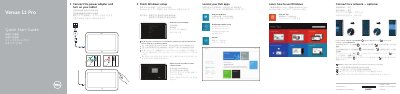
The Dell Venue 11 Pro Quick Start Guide helps users connect the power adapter, turn on the tablet, finish Windows setup, connect to a network, and sign in to an account.
It also describes how to locate Dell apps, register the device, use Dell Backup and Recovery, and identifies the tablet's features, ports, and buttons.
| MicroSD memory card reader | Included |
|---|---|
| Micro-SIM reader | LTE/HSPA+ models only |
| USB connector | USB 3.0 |
| Micro HDMI connector | Included |
| NFC reader | Included |
Enter the password for the wireless network access when prompted.
The Micro-SIM reader is available on LTE/HSPA+ models only.