
Dell Vostro 15 7580 Laptop Quick Start Guide.
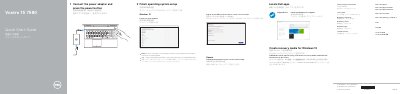
This guide helps users connect the power adapter, press the power button, and finish operating system setup for Windows 10 or Ubuntu. It also covers network connection, Microsoft account sign-in or local account creation, locating Dell apps, SupportAssist, and creating Windows 10 recovery media.
The guide lists the laptop's features and shortcut keys, including the camera, dual-array microphones, USB Type-C port with Thunderbolt 3, HDMI port, VGA port, network port, and other ports. It also provides links for product support, manuals, contacting Dell, and regulatory and safety information. This manual is written in Chinese.
In Windows search, type Recovery, click Create a recovery media, and follow the instructions on the screen.
See the Owner's Manual at Dell.com/support/manuals.
Download Dell Power Manager (DPM 3.0) from Dell.com/support before connecting the docking station.