
The Dell Inspiron 15 3000 Series notebook quick start guide.
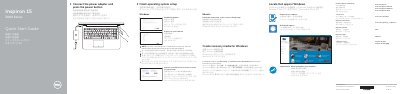
This Quick Start Guide for the Dell Inspiron 15 3000 Series (computer model Inspiron 15-3552, regulatory model P47F) walks through first-time setup: connecting the power adapter, finishing the Windows or Ubuntu operating system setup, connecting to a network, and signing in with a Microsoft account or a local account.
It also describes how to locate Dell apps in Windows, create Windows recovery media, register the computer, and use SupportAssist and Dell Help & Support. A labeled diagram identifies the notebook's features, including ports, the camera, the media-card reader, the battery and the Service Tag label, and lists the keyboard shortcut keys.
| USB ports | One USB 3.0 port and two USB 2.0 ports |
|---|---|
| Video output | HDMI port |
| Audio | Headset port and microphone |
| Camera | Camera with camera-status light |
In Windows search, type Recovery, click Create a recovery media, and follow the instructions on the screen.
Enter the password for the wireless network access when prompted.
See the Specifications at Dell.com/support.
It is item 18 in the features diagram, near the battery and battery-release latch.