
Dell Latitude 15 3000 Series Notebook Quick Start Guide

The Dell Latitude 15 3000 Series Notebook Quick Start Guide.
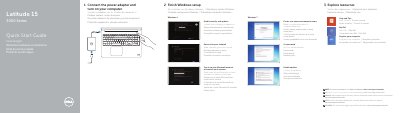

Dell Latitude 15 3000 Series Notebook Quick Start Guide - cover page
Brand
DELL
Category
Laptops
Document type
User Manual
Language
English
Pages
2
File format
PDF
File size
224 KB
Published
26 November, 2023
Updated
26 November, 2023
MD5 checksum
C6BEF64AA2A3FD8605CF95A23DADD44B

About this manual

This document serves as a Quick Start Guide for the Dell Latitude 15-3550 notebook. It provides multilingual instructions for initial setup, including connecting the power adapter, completing Windows setup, enabling security and updates, connecting to a network, and creating user accounts.

What's inside

  • Connect the power adapter
  • Finish Windows setup
  • Enable security and updates
  • Connect to your network
  • Sign in to your Microsoft account
  • Create user name and computer name
  • Explore resources
  • Features
  • Product support and manuals
  • Regulatory and safety

Frequently asked questions

What is the model of this computer?

Latitude 15-3550.

What is the regulatory model for this computer?

P38F.

What is the regulatory type for this computer?

P38F001.

Where can users find the Owner’s Manual?

At dell.com/support/manuals.

Download PDF (224 KB)

More DELL Manuals


View all DELL manuals →