
Dell Latitude 12 5000 Series 2-in-1 Quick Start Guide
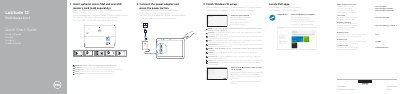
This quick start guide for the Dell Latitude 12 5000 Series 2-in-1 (computer model Latitude 5285) explains how to connect the power adapter and press the power button, insert an optional micro-SIM and microSD memory card, finish Windows 10 setup, connect to a network, sign in to a Microsoft account or create a local account, and locate Dell apps such as SupportAssist.
The guide also lists the computer features, including microphones, an optional IR camera and emitter, front and rear cameras, speakers, USB Type-C ports with DisplayPort, a USB 3.0 port, a headset/microphone combo jack, optional smart card reader, touch fingerprint reader, and NFC, plus the kickstand and card slots located under it.
| Computer model | Latitude 5285 2-in-1 |
|---|---|
| Regulatory model | T17G |
| Regulatory type | T17G001 |
| Operating system setup | Windows 10 |
| USB port | USB 3.0 port |
| Video port | DisplayPort over USB Type-C |
| Memory card slot | microSD card slot (under kickstand) |
| SIM card slot | optional micro-SIM card slot (under kickstand) |
Connect the power adapter and press the power button.
An optional micro-SIM card and a microSD memory card, which are sold separately.
Enter the password for wireless network access when prompted.
Both card slots are under the kickstand.