
The Dell Inspiron 3252 Quick Start Guide describes how to connect the keyboard and mouse, connect the network cable, connect the power adapter and press the power button, connect the display, and complete the operating system setup.
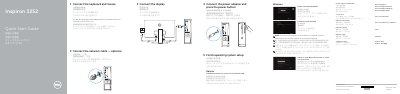
The Dell Inspiron 3252 Quick Start Guide provides essential instructions for setting up the computer, including connecting peripherals such as the keyboard, mouse, network cable, and power adapter.
It guides users through the initial operating system setup for both Windows and Ubuntu and identifies the physical features and ports of the device.
| USB 3.0 ports | 2 |
|---|---|
| USB 2.0 ports | 4 |
| Audio ports | 3 |
| Regulatory model | D14S |
Support and manuals are available at dell.com/support and dell.com/support/manuals.
It has 2 USB 3.0 ports.
It has 4 USB 2.0 ports.
It lists a VGA port and an HDMI port.