
Dell Inspiron 15 3000 Series Quick Start Guide
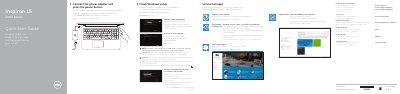
This guide helps you set up your Dell Inspiron 15-3552 laptop quickly. It covers connecting power, setting up Windows, connecting to a network, signing in to your Microsoft account, and enabling security and updates. The guide also lists the laptop’s features, including ports, camera, microphone, and battery status indicators.
The guide is multilingual, with text in multiple languages including English, Croatian, Slovenian, Turkish, Arabic, and others. It includes safety and regulatory information, and directs users to Dell’s support site for more details.
| Regulatory Model | P47F |
|---|---|
| Regulatory Type | P47F003 |
| Computer Model | Inspiron 15-3552 |
Enter the wireless network password when prompted.
The guide instructs you to enable security and updates during setup.
Ports include HDMI, USB 3.0, USB 2.0 (2), optical drive, power adapter, and headset jack.