
The Dell™ E-Port Plus User’s Guide provides information on how to set up and use the E-Port Plus.
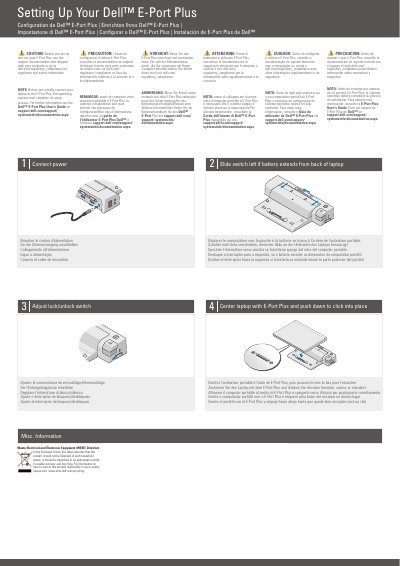
This guide shows how to set up the Dell E-Port Plus, including connecting power, adjusting the switch when a battery extends from the back of the laptop, setting the lock/unlock switch, and clicking the laptop into place.
It also identifies the E-Port Plus parts and connectors, including network, parallel, DVI, audio, USB, AC adapter, DisplayPort, VGA, serial, PS/2, eSATA, and E-Monitor Stand connectors.
| DVI connectors | 2 |
|---|---|
| Audio connectors | 2 |
| USB connectors | 3 |
| DisplayPort connectors | 2 |
| PS/2 connectors | 3 |
The operating system must complete its setup process.
Slide the switch to the left.
It is available on support.dell.com/support/ systemsinfo/documentation.aspx.
It should be deposited at an appropriate facility for recovery and recycling, not with household waste.