
This guide describes how to complete a Windows installation.
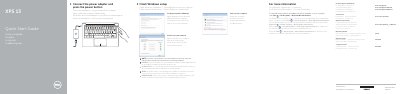
This is the Dell quick start guide for the XPS 13 computer, identified in the document as computer model XPS 9350 (regulatory model P54G, regulatory type P54G002). The text is printed in several languages, including English, Danish, Finnish, Norwegian and Swedish. It walks through finishing Windows setup: connecting the power adapter and pressing the power button, connecting to your network, setting up a password for Windows, and protecting your computer.
The second part lists the computer's features with numbered callouts, from the camera and power-adapter port to the Thunderbolt 3 port, USB 3.0 ports, media-card reader, battery-charge status lights and security-cable slot, and it gives a table of keyboard shortcut keys for audio, display, brightness, wireless and other functions. Support, manual and regulatory links are printed at the end.
| Regulatory model | P54G |
|---|---|
| Regulatory type | P54G002 |
| Ports | Thunderbolt 3 port, USB 3.0 port, USB 3.0 port with PowerShare, headset port, power-adapter port |
| Battery-charge status lights | 5 |
Connect the power adapter and press the power button, then follow the Windows setup steps.
Enter the password for the wireless network access when prompted.
Click Start → All Programs → Dell Help Documentation.
Dell lists Dell.com/support and Dell.com/support/manuals for support and manuals.