
Dell Inspiron 15 3000 Series Notebook Quick Start Guide.
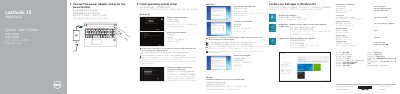
This two-page quick start guide from Dell covers the initial setup of the Latitude 15 3000 Series notebook, identified in the document as computer model Latitude 15-3560 (regulatory model P50F, regulatory type P50F001). Step-by-step instructions show how to connect the power adapter and press the power button, finish operating system setup for Windows 8.1, Windows 7 or Ubuntu, set up a Windows password, connect to a network, and protect the computer with SupportAssist, registration and Dell Backup and Recovery. It also explains where to find Dell apps in Windows 8.1 and how to contact Dell.
The second page lists the notebook's features with numbered callouts, including the camera, microphone, power button, security-cable slot, VGA, USB 2.0, USB 3.0 and HDMI connectors, memory card reader, fingerprint reader (optional), status lights, touchpad, headset connector, battery and service-tag label. A regulatory notice gives the rated voltage, frequency and input current, and the guide points to the Owner's Manual at dell.com/support/manuals for more information. The text is presented in English, Chinese, Japanese and Korean.
| Computer model | Latitude 15-3560 |
|---|---|
| Regulatory type | P50F001 |
| Rated voltage | 100 - 240 V |
| Rated frequency | 50 / 60 Hz |
| Rated input current | 1.7 A (65 W) / 2.5 A (90 W) |
| USB 3.0 connectors | 2 |
The guide lists the computer model as Latitude 15-3560, with regulatory model P50F and regulatory type P50F001.
Enter the password for the wireless network access when prompted.
Dell states that more information is available in the Owner's Manual at dell.com/support/manuals.
Connect the power adapter and press the power button.