
This guide describes how to quickly start a Dell computer.
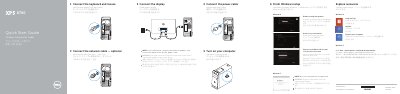
This Dell XPS 8700 Quick Start Guide gives setup steps for Windows 7 and Windows 8 computers. It covers connecting the keyboard, mouse, network cable, power cable and display, turning on the computer, finishing Windows setup, enabling security and updates, signing in to a Microsoft account or creating a local account, and connecting to a network.
The guide also lists numbered ports and controls for the computer. It provides product support and manual links, regulatory and safety links, and contact information for Dell.
| USB 3.0 ports (2) | 2 |
|---|---|
| USB 3.0 ports (4) | 4 |
| USB 2.0 ports (2) | 2 |
| Audio ports (6) | 6 |
| Expansion-card slots (4) | 4 |
Dell lists dell.com/support, dell.com/support/manuals and dell.com/windows8.
Connect the display to the discrete graphics card.
Do not use the @ symbol in your password.