
The Dell laptop quick start guide introduces the unpacking, setup and networking of the laptop.
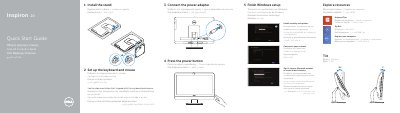
This Quick Start Guide is for the Dell Inspiron 20 Model 3048 computer. It explains how to connect the power adapter, press the power button, finish Windows setup, enable security and updates, sign in to a Microsoft account, connect to a network, and explore resources.
The guide also covers installing the stand and setting up the keyboard and mouse. It lists computer features including the camera, microphones, media-card reader, USB 3.0 and USB 2.0 ports, headset port, HDMI port, audio-out port, power button, hard-drive activity light, display button, brightness buttons, optical drive, and service tag.
| Model | Inspiron 20 Model 3048 |
|---|---|
| USB 3.0 ports | 2 |
| USB 2.0 ports | 4 |
| HDMI port | 1 |
| Optical drive | 1 |
| Power button | 1 |
The computer model is Inspiron 20 Model 3048.
The computer includes two USB 3.0 ports.
Product support and manuals are available at dell.com/support and dell.com/support/manuals.