
Dell Precision 7710 Mobile Workstation 7000 Series Quick Start Guide

Dell Precision Mobile Workstation 7000 Series Quick Start Guide
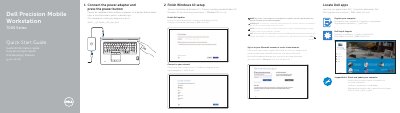

Dell Precision 7710 Mobile Workstation 7000 Series Quick Start Guide - cover page
Brand
DELL
Category
Laptops
Document type
Quick Start Guide
Language
English
Pages
2
File format
PDF
File size
397 KB
Published
25 November, 2023
Updated
25 November, 2023
MD5 checksum
CA1A7A830ED635D3BCBAA1EDDAF4CCC3

About this manual

This quick start guide helps set up a Dell Precision 7710 mobile workstation. It covers connecting power, completing Windows 10 setup, enabling Dell updates, connecting to a network, and signing in to a Microsoft account.

The guide also identifies workstation features and connector locations, including USB, HDMI, Mini DisplayPort, USB-C, docking, memory card reader, and the service-tag label.

What's inside

  • Connect the power adapter and press the power button
  • SupportAssist: check and update your computer
  • Register your computer
  • Dell Help & Support
  • Locate Dell apps
  • Finish Windows 10 setup
  • Enable Dell updates
  • Connect to your network
  • Sign in to your Microsoft account or create a local account
  • Features and connector locations

Frequently asked questions

How do I start the computer for the first time?

Connect the power adapter and press the power button.

What should I enter when connecting to a secured wireless network?

Enter the password for the wireless network access when prompted.

Where is the service-tag label located?

It is item 24 in the features diagram.

Download PDF (397 KB)

More DELL Manuals


View all DELL manuals →