
Dell Latitude 3380 Computer Quick Start Guide

Dell Latitude 3380 Quick Start Guide
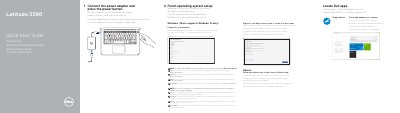

Dell Latitude 3380 Computer Quick Start Guide - cover page
Brand
DELL
Category
Laptops
Document type
Quick Start Guide
Language
English
Pages
2
File format
PDF
File size
445 KB
Published
25 November, 2023
Updated
25 November, 2023
MD5 checksum
3013ED1F58BCE7CC901FB7598224353E

About this manual

This Dell Latitude 3380 Quick Start Guide provides first-time setup steps in several languages, including connecting the power adapter, finishing Windows 10 operating system setup, and connecting to a network.

It also identifies the computer’s features such as the camera, USB 3.0 ports, HDMI port, and power port, and lists Dell support websites plus regulatory model P80G and type P80G001.

What's inside

  • Connect the power adapter and press the power button
  • Finish operating system setup
  • Connect to your network
  • Sign in to your Microsoft account or create a local account
  • Locate Dell apps
  • SupportAssist
  • Features
  • Product support and manuals
  • Contact Dell
  • Regulatory and safety

Specifications

ModelLatitude 3380
Regulatory modelP80G
Regulatory typeP80G001
Supported operating systemWindows 10 only

Frequently asked questions

Which operating system does the Dell Latitude 3380 support?

It supports Windows 10 only.

Where can I find SIM card installation instructions?

See the Owner’s Manual at Dell.com/support.

What are the regulatory model and type for this computer?

The regulatory model is P80G and the regulatory type is P80G001.

How do I complete the operating system setup?

Follow the instructions shown on the screen.

Download PDF (445 KB)

More DELL Manuals


View all DELL manuals →