
Dell Inspiron 13-7348 Laptop Quick Start Guide

This document is a quick start guide for Dell laptops.
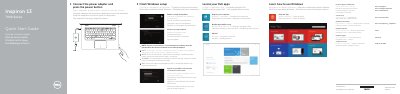

Dell Inspiron 13-7348 Laptop Quick Start Guide - cover page
Brand
DELL
Category
Laptops
Document type
Quick Start Guide
Language
English
Pages
2
File format
PDF
File size
876 KB
Published
25 November, 2023
Updated
25 November, 2023
MD5 checksum
F8AA77B2AE50FAB12E2697AB78449261

About this manual

The Dell Inspiron 13-7348 Quick Start Guide provides essential instructions for setting up the laptop, including Windows configuration, network connection, and account creation. It also directs users to Dell support for manuals and registration.

The document details the hardware layout, including ports and sensors, and lists available keyboard shortcut keys for audio, display, and wireless control. It also highlights the device's versatility through various usage modes.

What's inside

  • Finish Windows setup
  • Locate your Dell apps
  • Connect the power adapter
  • Register your computer
  • Dell Backup and Recovery
  • Product support and manuals
  • Regulatory and safety
  • Features
  • Shortcut keys
  • Modes

Specifications

Regulatory modelP57G
Regulatory typeP57G001

Frequently asked questions

How do I connect to a secured wireless network?

Enter the password for the wireless network access when prompted.

How do I start the computer?

Connect the power adapter and press the power button.

What should I do if I am connecting to a secured wireless network?

Enter the password for the wireless network access when prompted.

What kind of USB port does the computer have with PowerShare?

The computer has a USB 3.0 port with PowerShare.

Download PDF (876 KB)

More DELL Manuals


View all DELL manuals →