
The Dell Latitude 14 7000 Series Quick Start Guide provides information on how to set up and use your Dell Latitude 14 7000 Series laptop.
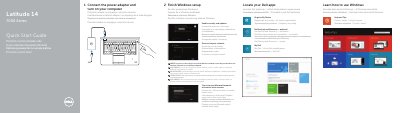
This is the two-page quick start guide for the Dell Latitude 14 7000 Series laptop, identified on the back page as computer model Latitude 7450/E7450 with regulatory model P40G. The text is printed in several languages, with English given first for every step.
The guide walks through connecting the power adapter and turning the computer on, finishing Windows setup, locating the Dell apps, registering the device, the optional Dell Backup and Recovery, Windows basics, help and tips, and enabling security and updates before connecting to a network. The last page numbers 29 features of the computer, from status lights and the power button to the connectors, then lists Dell support, contact and regulatory web addresses.
| Computer model | Latitude 7450/E7450 |
|---|---|
| Regulatory model | P40G |
| Regulatory type | P40G002 |
| USB connectors | Three USB 3.0 connectors, one with PowerShare |
| Display connectors | Mini-DisplayPort and HDMI |
| Optional features | Fingerprint reader, smart card reader, contactless smart-card/NFC reader, dock connector |
| Security features | Security-cable slot and service-tag label |
Connect the power adapter and turn on your computer, then finish the Windows setup.
If you are connecting to a secured wireless network, enter the wireless network password when prompted.
Dell lists the addresses dell.com/support for product support and dell.com/support/manuals for manuals.
The guide points to dell.com/regulatory_compliance for regulatory and safety information.