
OptiPlex 7440 All-in-One Quick Start Guide, introduces how to connect the power cable and other devices, install the cable cover (optional), remove the torx screw from the cable cover (optional) and press the power button.
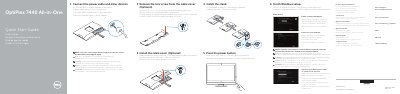
The Dell OptiPlex 7440 All-in-One Quick Start Guide covers initial setup of the computer. It shows how to connect the power cable and other devices, remove the torx screw from the optional cable cover, install the cable cover and stand, press the power button, and finish Windows setup, including enabling security and updates and connecting to a network.
The guide also lists the computer's features and connectors, such as the camera, optical drive, OSD buttons, status lights, audio, DisplayPort, HDMI-in and HDMI-out, USB 3.0 and USB 2.0 ports, network connector, PowerShare USB 3.0 connector, and memory card reader. It points to Dell apps, registration, Dell Backup and Recovery, My Dell, Windows password setup, product support, contact, and regulatory information.
| DisplayPort | DisplayPort connector |
|---|---|
| HDMI output | HDMI-out connector |
| HDMI input | HDMI-in connector |
| USB 3.0 | USB 3.0 connectors |
| PowerShare USB | USB 3.0 connector with PowerShare |
| USB 2.0 | USB 2.0 connectors |
| Network | Network connector |
| Memory card reader | Memory card reader |
| Regulatory model | W11C |
| Regulatory type | W11C001 |
| Computer model | OptiPlex 7440 AIO |
See the documentation that shipped with it.
Use dell.com/support and dell.com/support/manuals.
The listed regulatory model is W11C.
The guide includes setting up a password for Windows.