
Dell Vostro 15 5000 Series Quick Start Guide
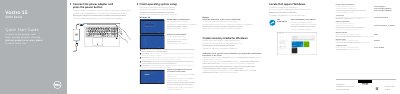
This Quick Start Guide for the Dell Vostro 15-5568 computer explains how to connect the power adapter, turn on the system, and complete operating system setup for Windows 10 or Ubuntu. It also describes creating recovery media and signing in to a Microsoft account or local account.
The guide lists the computer's features, including the camera, microphone, USB ports, HDMI port, network port, and fingerprint reader. It provides shortcut keys for audio, display, keyboard backlight, wireless, and sleep functions, and points to Dell.com/support for product manuals and regulatory information.
| Computer model | Vostro 15-5568 |
|---|---|
| Regulatory model | P62F |
| Regulatory type | P62F001 |
Connect the power adapter and press the power button.
Visit Dell.com/support, Dell.com/support/manuals, and Dell.com/support/windows.
In Windows search, type Recovery, click Create a recovery media, and follow the instructions on the screen.