
Dell Inspiron 11 3000 Series Computer Quick Start Guide

Dell Inspiron 11 3000 Series Quick Start Guide.
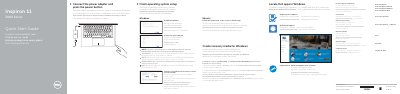

Dell Inspiron 11 3000 Series Computer Quick Start Guide - cover page
Brand
DELL
Category
Laptops
Document type
Quick Start Guide
Language
English
Pages
2
File format
PDF
File size
1.1 MB
Published
25 November, 2023
Updated
25 November, 2023
MD5 checksum
558DC5193AABBA14A602A054E0383E77

About this manual

This multilingual quick start guide helps users set up a Dell Inspiron 11 3000 Series computer, including connecting the power adapter, completing operating system setup, enabling Dell updates, connecting to a network, and signing in.

It identifies the computer's external features, ports, shortcut keys, and operating modes, and explains how to locate Dell apps and create Windows recovery media.

What's inside

  • Connect the power adapter and press the power button
  • Finish operating system setup
  • Locate Dell apps in Windows
  • Create recovery media for Windows
  • Features
  • Shortcut keys
  • Modes
  • Product support and manuals
  • Regulatory and safety

Frequently asked questions

How do I create recovery media for Windows?

In Windows search, type Recovery, click Create a recovery media, and follow the instructions on the screen.

What should I do when connecting to a secured wireless network?

Enter the password for the wireless network access when prompted.

Where can I find product support and manuals?

Visit Dell.com/support and Dell.com/support/manuals.

Download PDF (1.1 MB)

More DELL Manuals


View all DELL manuals →